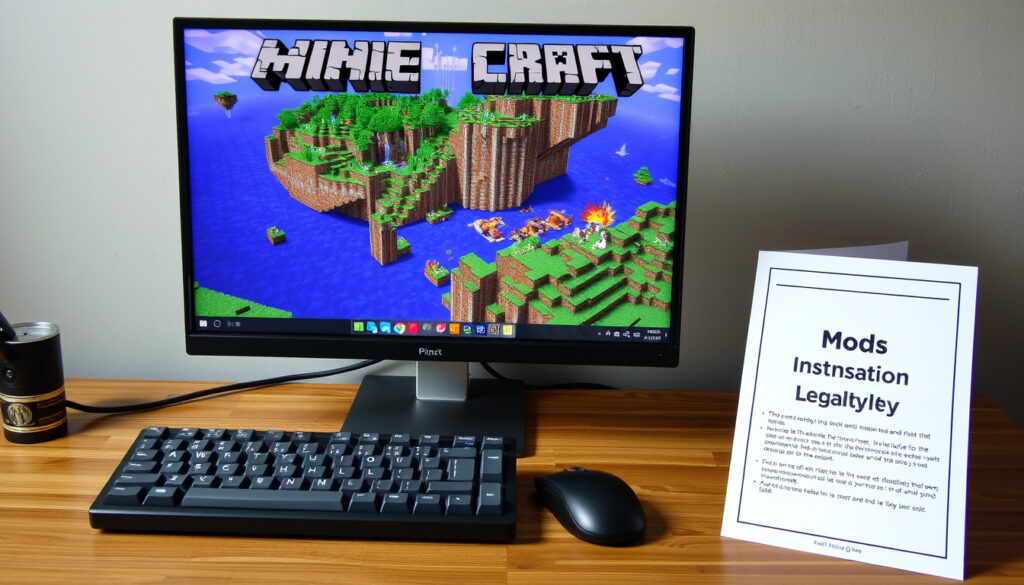
Minecraft Mod: Installation, Cost, Legality & Popular Mods
Anyone who has tinkered with Minecraft for more than an afternoon knows the base game is just a canvas. The real creativity comes when you drop a few mods into the folder and suddenly your world has new ores, flying machines, or entire dimensions to explore.
Minecraft mods available: Over 100,000 on CurseForge ·
Most downloaded mod: OptiFine (over 400 million downloads) ·
Modding active since: 2010 ·
Mods on Modrinth: Over 50,000 ·
Most popular modpack: All the Mods 9
Quick snapshot
- Definition, history, and types of mods (Contabo Blog tech hosting guide)
- Using CurseForge, Modrinth, or manual install (Contabo Blog)
- Free mods, donations, and Mojang’s EULA (Mojang EULA official developer policy)
- OptiFine, JEI, Tinkers’ Construct, All the Mods 9 (Wikipedia community encyclopedia)
Four key details at a glance: the platforms you need, the file types, and the official support stance.
| Label | Value |
|---|---|
| Modding platform | CurseForge, Modrinth |
| Required mod loader | Forge or Fabric for Java |
| Main file type | .jar for Java, .mcaddon for Bedrock |
| Official support | None from Mojang |
The implication: modding is a community-driven ecosystem where standards and platforms matter more than official endorsement.
What is Minecraft modding?
Definition of modding
- Minecraft modding is the process of modifying the game’s code or assets to add new content, change gameplay, or improve performance. Mods range from simple texture packs to massive overhauls that add entire tech trees or magic systems. (Contabo Blog tech hosting guide)
History of Minecraft mods
- Modding started almost as early as Minecraft itself. The first known mods appeared in 2010, shortly after the game’s initial release. In 2011, the Forge mod loader launched, making it much easier to install and manage multiple mods at once. (Wikipedia community encyclopedia) CurseForge, the largest mod distribution platform, arrived in 2014, followed by the open-source alternative Modrinth in 2020. (Modrinth open-source modding platform)
Types of mods
- Mods generally fall into two categories: client-side mods that only affect the player’s experience (like minimaps or shaders) and server-side mods that change game mechanics for everyone on the server. Many popular mods combine both. (Contabo Blog) Other common types include content mods (new blocks, mobs, dimensions) and utility mods (JEI for recipe lookup, Waila for block info).
How do you get mods in Minecraft?
Using CurseForge
- CurseForge is the most popular mod repository. You can browse mods on the website or use the CurseForge App to create custom profiles. The app lets you select a Minecraft version and mod loader (Forge, Fabric, or Quilt) and install mods directly from its library. (Contabo Blog)
Using Modrinth
- Modrinth is a fast-growing, open-source alternative. It hosts thousands of free mods and modpacks. You can download .jar files directly and place them in the mods folder, or use the Modrinth App for automatic profile management. (Modrinth open-source modding platform)
Manual installation
- For manual installation on Java Edition, first install a mod loader like Forge or Fabric from their official websites. Download the installer, run it, and choose “Install Client”. Then locate your Minecraft folder: on Windows it is
%appdata%\.minecraft\mods; on Mac it is~/Library/Application Support/minecraft. Place the mod .jar file inside themodsfolder. (Instructables DIY tutorial platform) A common first step is to launch vanilla Minecraft once so the folder structure is created. (Minecraft Server Hub community guide) Always back up your worlds before modding. (Minecraft How player guide) For Bedrock Edition, mods are called add-ons and use .mcaddon files, installed through the game’s marketplace or manually via the resource packs folder.
Mod files must match the exact Minecraft version and mod loader version you are using. A mod built for 1.19.2 will not work on 1.20.1 without an update. Check the mod’s page for supported versions.
Using untrusted download sites is the fastest way to get malware. Stick to CurseForge, Modrinth, or the official mod loader websites. CurseForge alone has over 100,000 mods vetted by the community.
The pattern is clear: trusted platforms reduce risk, while manual installation demands version discipline.
Do Minecraft mods cost money?
Free mods
- The vast majority of Minecraft mods are completely free. Creators share them on CurseForge, Modrinth, and Planet Minecraft without charging a cent. (Contabo Blog)
Premium mods
- Some mods offer optional donation links (Patreon, Ko-fi) for early access or cosmetics, but the mod itself remains free. Only a handful of mods on curated marketplaces like the Bedrock Marketplace have a price tag, and those are officially sanctioned by Mojang.
Modpacks
- Modpacks are collections of mods bundled together. They are also free. Platforms like CurseForge and Modrinth host thousands of modpacks for one-click install via their apps. The most downloaded pack, All the Mods 9, contains over 300 mods and costs nothing. (CurseForge mod hosting platform)
Free mods come with no official support. If a mod breaks after a game update, you depend on the creator’s goodwill to release a fix. Donating helps keep mods alive.
What are the most popular Minecraft mods?
Top mods like OptiFine
- OptiFine is the most downloaded mod of all time with over 400 million downloads. It dramatically improves performance and adds support for shader packs. (Wikipedia community encyclopedia) Just Enough Items (JEI) is another essential, with over 100 million downloads, showing you how to craft every item in the game. (CurseForge mod hosting platform)
Popular modpacks like ATM9
- All the Mods 9 is currently the most popular modpack, with millions of downloads. It includes hundreds of mods focused on exploration, tech, and magic. (CurseForge mod hosting platform) Other heavy-hitters include Project Ozone 3 and Enigmatica 6.
Utility mods
- Beyond content mods, utilities like Minimap mods (Xaero’s Minimap), Inventory sorting (Inventory Tweaks), and BetterFps are widely used. Tinkers’ Construct remains a classic for tool customization, with over 50 million downloads. (CurseForge mod hosting platform)
Is Minecraft modding illegal?
Mojang’s stance
- Mojang, the developer of Minecraft, explicitly permits modding. Their End User License Agreement (EULA) states that mods are allowed as long as they are not sold for profit. (Mojang EULA official developer policy)
EULA
- The EULA prohibits distributing mods for money. However, creators can accept voluntary donations or charge for installation services, as long as the mod itself remains accessible without payment. Violating the EULA can lead to a takedown request from Mojang.
Compatibility with terms
- As long as you do not distribute the game’s code or run a server that uses modified code to gain unfair advantage in official features, modding is perfectly legal. The community has flourished under these rules for over a decade. (Wikipedia community encyclopedia)
“Mods are allowed as long as they are not sold for profit.”
– Mojang EULA (official developer policy)
“Backing up your worlds is the most important first step before installing any mod.”
– Minecraft How guide (player help portal)
Upsides
- Massively extends gameplay with new content
- Free to download and use
- Active community support and frequent updates
- Improves performance (OptiFine) and usability (JEI)
Downsides
- Compatibility issues between mods or game versions
- Risk of malware from untrusted download sources
- Performance drops with heavy modpacks without RAM allocation
- No official support from Mojang
The catch: players gain tremendous freedom and content, but must accept the maintenance burden that comes with community-supported software.
Related reading
The modding ecosystem is one of the most creative in gaming, all built on a foundation of free distribution and community trust. For the average player, the choice is clear: stick to CurseForge or Modrinth, use a proper mod loader, back up your worlds, and you can enjoy thousands of mods without spending a dime or breaking any rules.
Related reading: Minecraft Mods Guide: How to Install and Best Picks
instructables.com, youtube.com, youtube.com, minecraft.pl, trendpulseuk.uk
For a detailed walkthrough of the process, refer to this installation guide for Minecraft mods that covers everything from setup to safety.
Frequently asked questions
How to install mods on Minecraft Bedrock Edition?
Bedrock Edition uses add-ons (.mcaddon files) instead of .jar mods. You can download add-ons from trusted sites and open them in the game, or buy official content from the Minecraft Marketplace.
What is Forge vs Fabric?
Forge is the older, more widely used mod loader with a huge library. Fabric is a modern, lightweight alternative that loads faster and is easier to update. Many mods support both.
Can I use mods on a server?
Yes. For client-side mods, only the client needs the mod. For server-side mods (e.g., custom dimensions), the server must also have the mod installed in its /mods folder.
Do mods affect game performance?
Some mods improve performance (OptiFine, Sodium), while heavy content mods can slow the game down. Allocating more RAM (e.g., 4 GB for large modpacks) helps. (Reddit r/Minecraft community advice)
How to update mods?
Download the latest version from the mod’s page. Replace the old .jar file in the mods folder, ensuring compatibility with your current Minecraft version. Use CurseForge or Modrinth app for automatic updates.
Are there mods for Minecraft PE?
Yes. Pocket Edition (Bedrock) add-ons work on mobile devices. Use trusted add-on sites and follow the same installation process as Bedrock Edition.
Can I get mods for free on console?
Console versions (PlayStation, Xbox, Switch) do not support external mods. The only way to get modifications is through the official Minecraft Marketplace, which sells content from creators.
How to install modpacks?
Use the CurseForge App or Modrinth App. Search for the modpack (e.g., All the Mods 9), click Install, and the app creates a profile with the correct loader and version. Launch through the app.
More related posts
 Shraddha Kapoor: Relationship, Career, Net Worth & Upcoming Movies
 Travis Fimmel: Personal Life, Career & FAQs (2025)
 20 Symptoms of Endometriosis: Complete List and Expert Guide
 Sutton Foster: Biography, Age, Career & Hugh Jackman Rumors
 How Old Is Chris Hughes in 2025? Age, Relationship, Bio
 Chrishell Stause: G Flip, Justin Hartley & Selling Sunset Exit
 Ercan Ramadan: Age, Career, and Life with Vicky Pattison
 Houses for Sale Near Me – Fresh Listings and Buying Tips