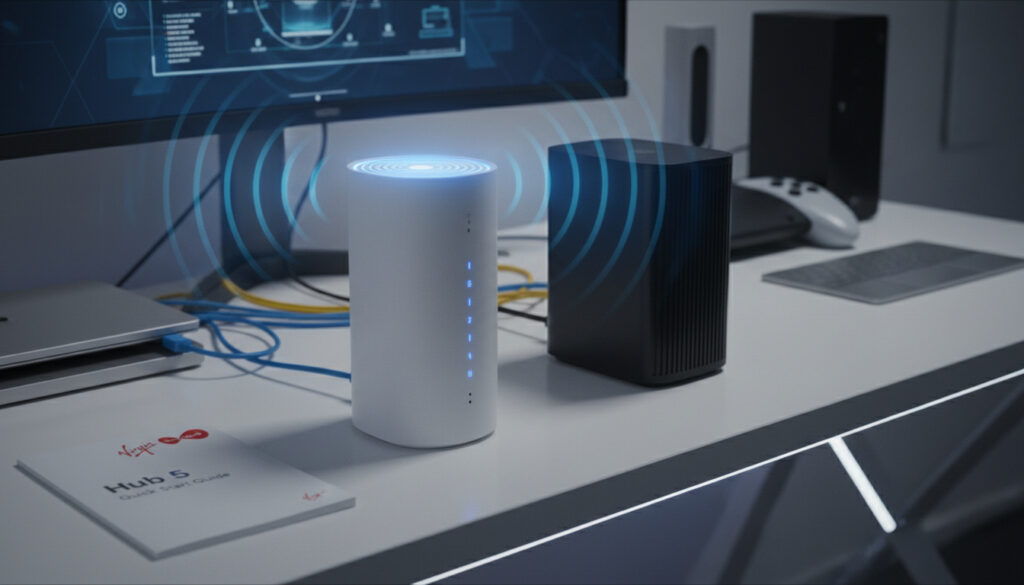
Virgin Media Hub 5 – Specs, Setup Guide and Hub 4 Comparison
The Virgin Media Hub 5 represents a significant hardware refresh for the UK’s largest cable broadband provider, introducing Wi-Fi 6 capabilities and eliminating the latency issues that plagued previous generations. Launched in October 2021, this router targets customers on multi-gigabit plans who require stable wireless performance and modern wired connectivity.
Unlike its predecessors, the Hub 5 utilizes a Broadcom 3390S chipset rather than the controversial Intel Puma silicon found in Hub 3 and Hub 4 models, promising reduced lag for competitive gaming and improved handling of high-bandwidth concurrent activities. The device supports DOCSIS 3.1 standards and includes a 2.5Gbps Ethernet port, enabling subscribers to extract full speeds from Virgin Media’s Gig1 and Gig2 fibre offerings without resorting to link aggregation.
This analysis examines the technical specifications, real-world performance benchmarks, and upgrade pathways for existing customers considering the transition from earlier Hub models.
What is Virgin Media Hub 5?
Virgin Media’s Hub 5 is the company’s first Wi-Fi 6 certified router, designed to handle the increasing bandwidth demands of modern smart homes. The device operates on dual-band frequencies (2.4GHz and 5GHz) utilizing five internal antennae configured with 4×4 MIMO on the 5GHz band (Broadcom 6715) and 3×3 MIMO on the 2.4GHz band (Broadcom 6710), expanding coverage while reducing interference compared to previous hardware iterations.
| Feature | Hub 5 Specification | Hub 4 Comparison | User Benefit |
|---|---|---|---|
| Wi-Fi Standard | Wi-Fi 6 (802.11ax) | Wi-Fi 5 (802.11ac) | Better range, lower latency, more devices |
| Max Ethernet | 1x 2.5Gbps + 3x 1Gbps | 4x 1Gbps (aggregation needed for >1Gbps) | Single-cable multi-gigabit speeds |
| Chipset Architecture | Broadcom 3390S | Intel Puma | Eliminates latency spikes |
| Antenna Configuration | 5 antennae (4×4 5GHz, 3×3 2.4GHz) | Fewer/unspecified | Improved whole-home coverage |
- Next-Generation Wireless: First Virgin Media router to support Wi-Fi 6 certification with WPA3 encryption standards.
- Multi-Gigabit Ready: The dedicated 2.5Gbps Ethernet port enables full Gig1 and Gig2 speeds without link aggregation.
- Latency Improvements: Broadcom chipset eliminates the Intel Puma latency issues that affected Hub 3 and Hub 4 performance.
- Enhanced Capacity: Supports 32 downstream channels on DOCSIS 3.0 for superior congestion handling during peak usage.
- Intelligent Optimization: Built-in Intelligent Wi-Fi automatically manages bandwidth distribution across connected devices.
- Backwards Compatibility: Maintains support for older WPA2 devices and DOCSIS 3.0 infrastructure.
- Free Upgrade Path: Available at no additional cost for eligible existing Virgin Media customers.
| Category | Technical Detail |
|---|---|
| Wi-Fi Standard | 802.11ax (Wi-Fi 6) |
| 5GHz Radio | Broadcom 6715 (4×4 MIMO) |
| 2.4GHz Radio | Broadcom 6710 (3×3 MIMO) |
| Ethernet Ports | 1x 2.5Gbps (Broadcom 54991EL), 3x 1Gbps |
| WAN Connection | DOCSIS 3.1/3.0 via coaxial cable |
| Security Protocol | WPA3 (WPA2 mixed mode supported) |
| Processor | Broadcom 3390S SoC |
| Telephony | 2x RJ11 telephone ports |
| Management Interface | 192.168.0.1 (Router), 192.168.100.1 (Modem mode) |
| Physical Buttons | WPS, Power |
| Launch Date | October 2021 |
How Do I Set Up and Manage Virgin Media Hub 5?
Physical Installation
Installing the Hub 5 requires connecting the coaxial cable to the rear port and powering the unit via the supplied adapter. The router auto-configures for Virgin Media’s network infrastructure once the connection establishes, eliminating the need for manual ISP configuration. Users can connect devices via Ethernet cables to the four available ports or utilize the WPS button for simplified wireless pairing.
The unit supports Virgin Media’s mesh network add-ons for properties requiring extended coverage beyond the router’s base range. Configuration and monitoring occur primarily through the Virgin Media Connect app or via the web interface at 192.168.0.1.
Modem-Only Mode Access
For customers preferring to use third-party routing equipment, the Hub 5 offers a modem-only mode accessible at 192.168.100.1 following a power cycle. This address differs from the standard management interface and disables the router’s internal DHCP and firewall functions, passing the public IP address directly to connected equipment.
Reset Procedures
Standard factory reset functionality is available via a recessed rear button or through the administrative interface, though specific step-by-step documentation remains limited in public sources. The device lacks detailed LED indicator documentation, with status lights generally representing power and Wi-Fi activity; comprehensive diagnostics require checking the Virgin Media Connect application.
Virgin Media distributes a distinct Hub 5x variant for optical fibre installations. This model utilizes optical cabling rather than coaxial connections and lacks router mode functionality entirely, operating strictly as a modem. Customers receiving this variant cannot access the same management features as the standard Hub 5.
Virgin Media Hub 5 vs Hub 4
The transition from Hub 4 to Hub 5 involves substantial hardware changes rather than incremental updates. While the Hub 4 introduced Wi-Fi 5 capabilities, it retained the problematic Intel Puma chipset and lacked native multi-gigabit Ethernet support.
| Specification | Hub 5 | Hub 4 |
|---|---|---|
| Wi-Fi Generation | Wi-Fi 6 (802.11ax) | Wi-Fi 5 (802.11ac) |
| Ethernet Capability | 1x 2.5Gbps + 3x 1Gbps | 4x 1Gbps (requires aggregation for >1Gbps) |
| Wireless Security | WPA3 | WPA/WPA2 |
| Chipset Manufacturer | Broadcom (low latency) | Intel Puma (documented latency issues) |
| Antenna Configuration | 5 antennae (4×4 5GHz, 3×3 2.4GHz) | Fewer/unspecified configuration |
| Gig1 Wi-Fi Performance | ~900Mbps average on Wi-Fi 6 devices | Significantly lower on Wi-Fi 5 clients |
Real-world testing demonstrates that Hub 5 delivers approximately 900Mbps download speeds across multiple rooms when paired with Wi-Fi 6 capable devices, dropping to 300-500Mbps at extreme distances. The Hub 4 cannot achieve comparable wireless speeds on Gig1 plans, typically requiring wired connections for consistent performance.
For Gig2 subscribers, the Hub 5 achieves roughly 1Gbps over Wi-Fi—representing half the plan’s maximum speed—necessitating the use of the 2.5Gbps Ethernet port to access full bandwidth.
The Broadcom chipset eliminates the latency spikes and bufferbloat associated with Intel Puma silicon, providing more stable ping times for online gaming and video conferencing compared to both Hub 3 and Hub 4 hardware.
Hub 5 Compatibility and Ports
Physical Connectivity
The rear panel features one 2.5Gbps Ethernet port utilizing the Broadcom 54991EL controller, accompanied by three standard 1Gbps ports powered by the Broadcom 3390S chipset. Additional connectivity includes a coaxial connector for DOCSIS signal input, two RJ11 telephone ports for Virgin Media’s landline services, and dedicated WPS and power buttons.
Device and Protocol Support
The router maintains backwards compatibility with legacy devices through WPA2/WPA3 mixed mode operation, ensuring older smartphones and IoT devices remain connectable. DOCSIS 3.0 and 3.1 standards are both supported, allowing the Hub 5 to function on existing Virgin Media infrastructure while remaining future-proof for network upgrades.
The device functions as a free upgrade for existing customers, automatically provisioning for subscribed speed tiers without manual configuration. It supports next-generation gaming consoles and high-bandwidth streaming devices, with improved multi-device handling compared to previous generations.
To achieve the full 2Gbps speeds available on Gig2 plans, subscribers must utilize the single 2.5Gbps Ethernet port. Wireless connections max out at approximately 1Gbps regardless of plan tier, and the standard 1Gbps Ethernet ports will bottleneck multi-gigabit connections.
How Has Virgin Media’s Router Hardware Evolved?
- : Hub 3 Deployment — Introduced with Intel Puma chipsets that later became notorious for latency issues and performance inconsistencies under load.
- : Hub 4 Release — Added Wi-Fi 5 capabilities and increased Ethernet throughput potential, though retained the problematic Intel Puma architecture and required link aggregation for speeds exceeding 1Gbps.
- : Hub 5 Launch — Virgin Media O2 officially launched the Hub 5 with Wi-Fi 6 certification, Broadcom silicon, and native 2.5Gbps Ethernet support.
- : Phased Rollout — Ongoing distribution to Gig1 and Gig2 subscribers as standard equipment, with free upgrades available for eligible existing customers.
- : Hub 5x Introduction — Deployment of optical-fibre variant for full-fibre (FTTP) areas, distinct from the standard coaxial-based Hub 5.
What Is Definitively Known and What Remains Uncertain?
| Established Facts | Uncertain or Limited Information |
|---|---|
| Wi-Fi 6 (802.11ax) certification and WPA3 security implementation confirmed | Specific LED light color codes and indicator patterns not publicly documented |
| Broadcom 3390S chipset eliminates Intel Puma latency issues | Detailed factory reset button sequences and timing not officially specified |
| 2.5Gbps Ethernet port enables single-cable multi-gigabit speeds | Exact timeline for nationwide availability in all Virgin Media regions |
| Real-world Gig1 speeds reach ~900Mbps on Wi-Fi 6 devices | Full Gig2 performance potential over Wi-Fi remains unverified beyond ~1Gbps tests |
| Modem-only mode accessible at 192.168.100.1 | Long-term firmware update schedules and feature roadmaps |
How Does Hub 5 Position Virgin Media in the Market?
The Hub 5 places Virgin Media competitively against offerings like BT’s Smart Hub 2 and EE’s Smart Hub Plus, particularly for customers subscribing to gigabit-tier services. The inclusion of Wi-Fi 6 and multi-gigabit Ethernet addresses previous criticisms regarding the provider’s reliance on aging Intel Puma hardware, aligning the company’s equipment with modern Unlimited Data Sim Only – Best UK Deals Compared expectations for low-latency connectivity.
For households with numerous connected devices or those engaging in bandwidth-intensive activities such as 4K streaming and competitive online gaming, the router’s improved channel bonding and MU-MIMO capabilities offer tangible benefits over both previous Virgin Media hardware and standard ISP equipment from competitors. The shift to Broadcom silicon particularly addresses the Call of Duty Modern Warfare – 2019 Reboot Guide community’s historical complaints regarding latency-sensitive applications.
What Do Industry Observers Say About Hub 5?
“Our first ever Wi-Fi 6 broadband router… designed to deliver faster speeds, better coverage, and improved stability.”
— Virgin Media Community Blog, October 2021
“The move away from Intel Puma to Broadcom silicon is significant for gamers and anyone requiring consistent low latency. The addition of a 2.5Gbps port finally allows Gig1 customers to achieve their subscribed speeds over a single cable.”
— ISPreview UK Technical Analysis
“Real-world testing shows impressive long-range speeds maintaining 900Mbps+ near the router, with coverage comparable to flagship devices from rival ISPs.”
— Independent Broadband Review, YouTube Technical Benchmarks
Is Upgrading to Hub 5 Essential for Virgin Media Users?
Subscribers on Gig1 or Gig2 plans will find the Hub 5 essential for accessing full subscribed speeds, particularly the 2.5Gbps Ethernet capability for wired connections. While those on lower-tier packages may not immediately require the Wi-Fi 6 functionality, the elimination of Intel Puma latency issues makes the upgrade worthwhile for gamers and remote workers requiring stable video conferencing. The equipment is provided free to eligible customers, removing financial barriers to accessing improved network performance.
Frequently Asked Questions
Is Virgin Media Hub 5 good for gaming?
Yes. The Broadcom chipset eliminates latency spikes associated with previous Hub models, while Wi-Fi 6 reduces lag for wireless connections. The router supports next-generation consoles and maintains stable ping times during high-bandwidth activities.
What is the maximum speed of Virgin Media Hub 5?
The router supports Gig2 plans (2Gbps) via the 2.5Gbps Ethernet port. Over Wi-Fi 6, real-world speeds average approximately 900Mbps for Gig1 plans and up to 1Gbps for Gig2, depending on device capabilities and distance.
What is the difference between Hub 5 and Hub 5x?
The Hub 5x is a distinct variant for optical fibre (FTTP) installations. It uses optical cabling instead of coaxial, lacks router mode functionality, and operates only as a modem, unlike the standard Hub 5 which supports full router capabilities.
Does Hub 5 support modem-only mode?
Yes. After restarting the device, modem-only mode is accessible at 192.168.100.1, which differs from the standard management address of 192.168.0.1. This allows use with third-party routers.
How many devices can connect to Hub 5 simultaneously?
Wi-Fi 6 technology enables significantly higher device density than previous standards. While no hard limit is published, the 4×4 and 3×3 MIMO configuration supports numerous concurrent connections for smart home ecosystems.
Does Virgin Media Hub 5 have USB ports?
No. The Hub 5 does not include USB ports for network storage or printer sharing. Connectivity is limited to Ethernet, coaxial, and telephone ports.
Can I use my own router with Virgin Media Hub 5?
Yes. You can either connect a third-party router to one of the Ethernet ports in router mode, or enable modem-only mode on the Hub 5 to pass the public IP address directly to your own equipment.
Is the Hub 5 upgrade free for existing customers?
Yes. Virgin Media provides the Hub 5 as a free upgrade for eligible existing customers, particularly those subscribed to Gig1 or Gig2 speed tiers. Availability depends on your specific contract and location.
More related posts
 Stefan Salvatore: Character Profile and Death Explained
 Mr. Krabs: Species, Sins, Catchphrases Explained
 Suzi Ruffell Biography: Wife, Podcast, Age, Tour & More
 James Beck: Life and Death of Dad’s Army Private Walker
 Does Evri Deliver on Sunday? Times, Tracking & Policy
 Peter Wright: Weight Loss, Wife & Net Worth
 George Foreman: Cause of Death, Net Worth, and Legacy
 Percy Jackson Season 2: LGBTQ, Age & More – Full Guide